

TM 5-2410-241-23-2
0151
TRANSMISSION FLUID LEVEL CHECK AND FILL
000151
C AU T I O N
Check correct side of gauge. Over- or under-filled transmission may cause transmission
to overheat, not perform properly, or damage system components.
N OT E
Transmission oil level gauge has oil level markings on both sides. One side is for checking
when fluid is cold with engine stopped, the other side is for checking when fluid is hot with
engine at idle and transmission in NEUTRAL.
Checking fluid when hot is preferred and more accurate. Checking fluid when cold should
be used for reference only.
1. Open right side upper access cover.
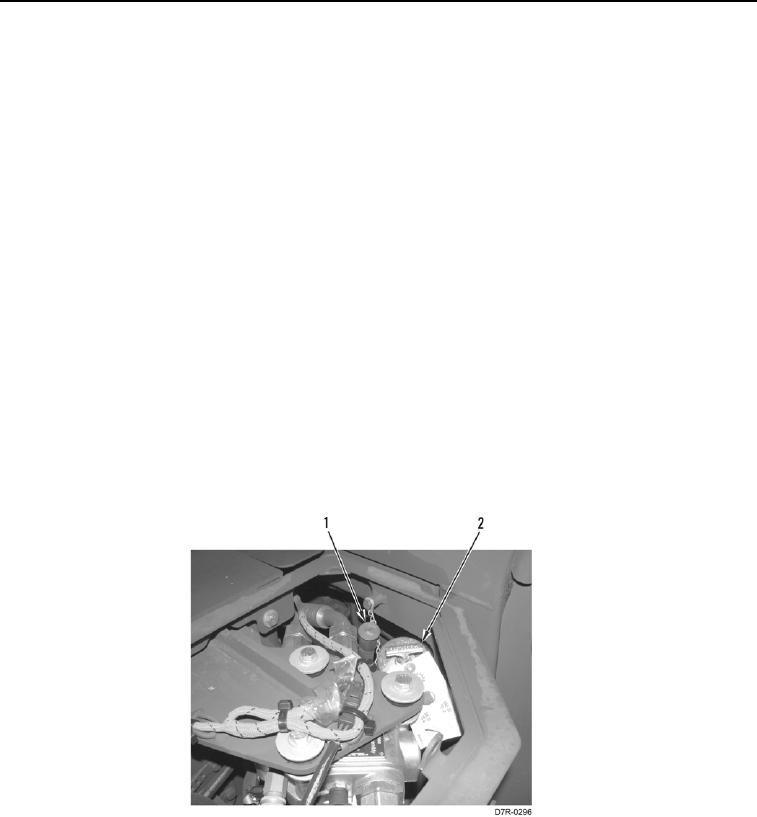
2. Clean area around transmission oil level gauge (Figure 3, Item 1) and oil filler cap (Figure 3, Item 2).
3. Remove transmission oil level gauge (Figure 3, Item 1), wipe it clean then reinstall.
4. Refer to LO 5-2410-241-13 for correct amount and type of transmission oil. Remove transmission oil level
gauge (Figure 3, Item 1) and check level. Maintain oil within OPR ZONE (operating zone) markings. Maintain
cold level first, then hot level.
5. Remove oil filler cap (Figure 3, Item 2), and add transmission oil in accordance with LO 5-2410-241-13 through
filler tube.
6. Install oil filler cap (Figure 3, Item 2).
7. Close right side upper access cover.
Figure 3. Transmission System Oil Level Check.
0151
END OF TASK
END OF WORK PACKAGE