

TM 5-2410-240-23-2
0148
INSTALLATION CONTINUED
N OT E
Install electrical connectors as noted during removal.
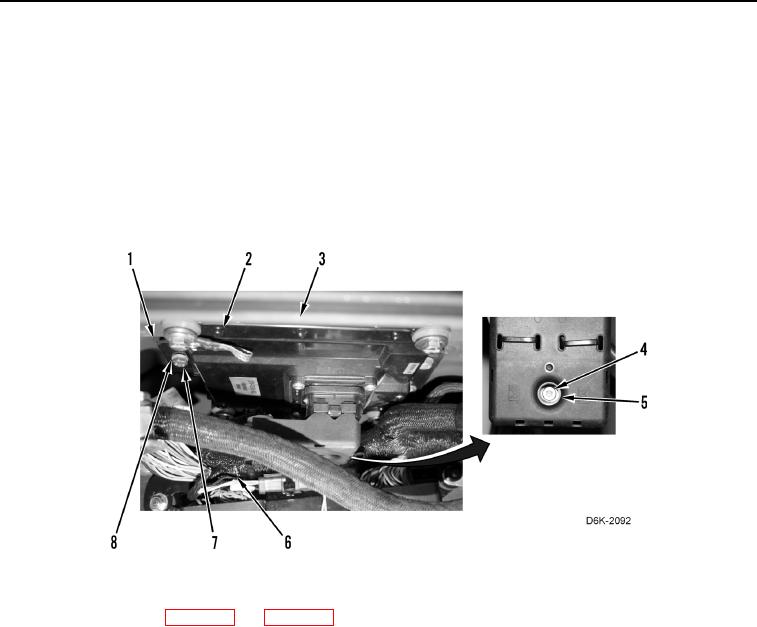
6. Install mounting bracket (Figure 5, Item 1), equipment ECM (Figure 5, Item 2), three washers (Figure 5,
Item 8), and bolts (Figure 5, Item 7) on machine (Figure 5, Item 3).
7. Position harness (Figure 5, Item 6) on machine (Figure 5, Item 3).
8. Connect harness connector (Figure 5, Item 5) to equipment ECM (Figure 5, Item 2) and tighten screw
(Figure 5, Item 4).
Figure 5. Equipment ECM, Harness Connector, and Retaining Hardware.
0148
10. Program equipment ECM (WP 0017).
END OF TASK
FOLLOW-ON TASKS
000148
Verify correct operation of machine (TM 5-2410-240-10).
END OF TASK
END OF WORK PACKAGE
0148-5/(6 blank)