

TM 5-2410-240-23-3
0217
REMOVAL CONTINUED
N OT E
Tag electrical connectors to aid installation.
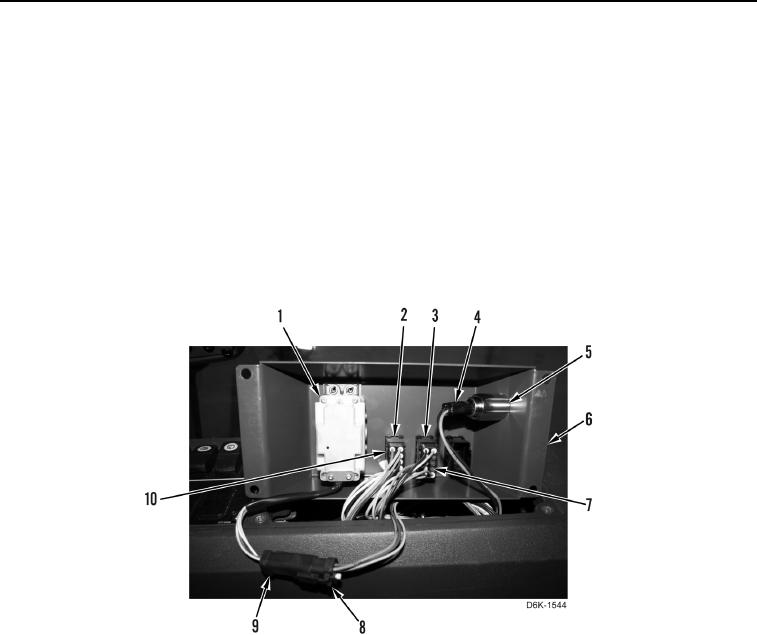
2. Disconnect winch control harness connector (Figure 2, Item 8) from winch control lever connector
(Figure 2, Item 9).
3. Disconnect winch free-spool harness connector (Figure 2, Item 10) from winch free-spool switch (Figure 2,
Item 2).
4. Disconnect winch brake harness connector (Figure 2, Item 7) from winch brake switch (Figure 2, Item 3).
5. Disconnect 12V supply connector (Figure 2, Item 4) from 12V receptacle (Figure 2, Item 5).
6. Remove winch control lever (Figure 2, Item 1) from winch control panel (Figure 2, Item 6).
Figure 2. Winch Operation Electrical Connectors.
0217