

• Home
  • Download PDF
  • Order CD-ROM
  • Order in Print
Figure 7. Win Flash Quick Help Menu.
Figure 9. Flash File Programming.

Field Maintenance Manual 1 D7R Dozer Type I With Winch and Type II With Ripper
Page Navigation
  195    196    197    198    199  200  201    202    203    204    205  
img
.
TM 5-2410-241-23-1
0017
FLASH PROGRAMMING CONTINUED
00017
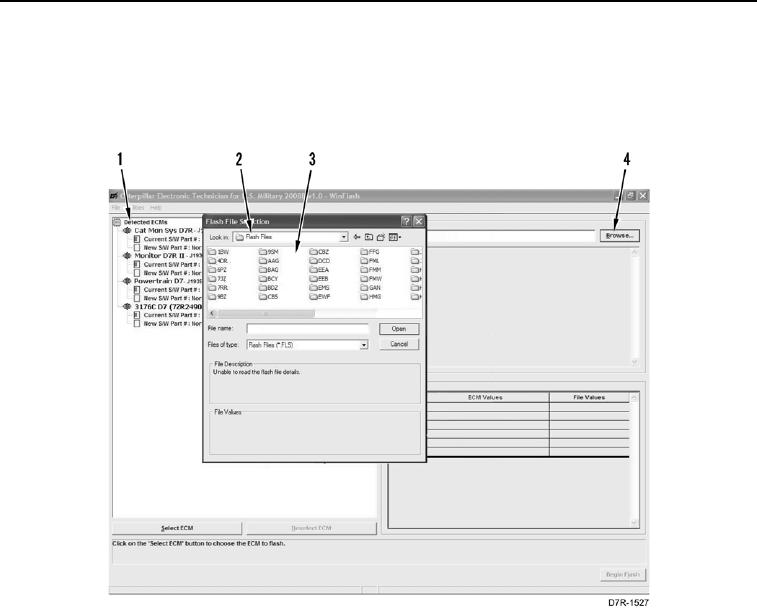
5. Highlight applicable ECM (Figure 8, Item 1).
6. Select Browse (Figure 8, Item 4) to My Computer and select ET Flash Files.
7. Open Flash Files folder (Figure 8, Item 2) and select system folder (Figure 8, Item 3).
Figure 8. Flash File Menu.
0017
0017-9


Privacy Statement
Press Release
Contact

© Copyright Integrated Publishing, Inc.. All Rights Reserved.