

TM 5-2410-241-23-1
0017
RECORDING DIAGNOSTIC CODES AND COPYING CONFIGURATION FROM ECM CONTINUED
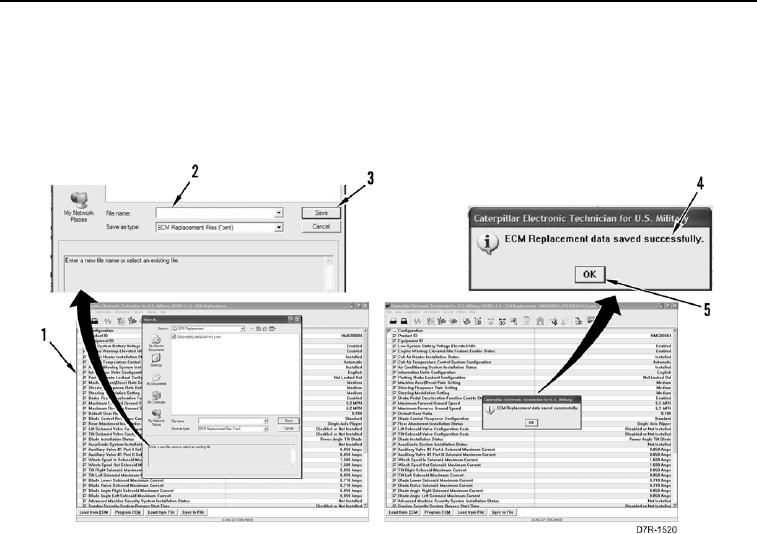
d. Enter file name (Figure 4, Item 2), or select file (Figure 4, Item 1), and select Save button (Figure 4, Item 3)
to accept download.
e. Select OK button (Figure 4, Item 5) when ECM Replacement data saved successfully dialogue box
(Figure 4, Item 4) displays.
Figure 4. ECM Configuration Save.
0017
3. Refer to appropriate work package for ECM replacement instructions. Then, return to this work package to
copy saved configuration data to new ECM. Refer to Copy Configuration to ECM in this work package.
END OF TASK